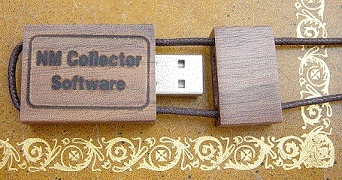



The Custom USB flash drive pictured above is also available from Brownells as Gun Collector SoftwareThere are some reports about security vulnerabilities with Java. These vulnerabilities are for Java browser plugins (applets) not Java applications like NM Collector Software. Here are instructions for disabling Java in web browsers to eliminate these vulnerabilities.
Care to help shape the next release? I am looking for feedback on new Beta Version With Simplified User Interface.
Getting started is as easy as 1 2 3.
1
Follow the step by step instructions on the download page to Download and "install" the option of NM Collector Software that best meets your needs. Please note the following when considering what to download:
- USB: Works for Windows, Mac, and Linux. Does not have to be run from USB.
- Windows: Windows Only
- Mac: Mac Only
- Linux: Linux Only
2
Start the program based on the option you downloaded in accordance with these instructions. 3
Follow these step-by-step instructions to start entering data.
Getting help is as easy as A B C Do Re Me.
A
Review the Known Issues page for the problem you are experiencing. B
Follow these step-by-step instructions if you cannot figure out how to enter data. C
For additional help, please consider the following suggestions:
Do
Read the Printable User Manual. Re
Look through these Examples. Me
Read the Help Desk Knowledgebase and, if necessary, submit a ticket. What is NM Collector Software?
NM Collector Software is a desktop application written in Java using an embedded Derby database. The database can be encrypted or not depending on your needs and preferences. NM Collector is designed to be run on any computer that has Java 6 (or greater) installed. Java 6 is available for Windows, Mac, and Linux. It is a very stable platform that has been around for many years with no foreseeable end to its availability on these platforms.
Keep track of every aspect of your collection with this database program. Create detailed files on individual items with custom fields for any type of collection. For example, you can track model, serial number, purchase date, purchase price, sale price, and appraised value—even lets you attach photos to each entry. Searchable database has a statistics feature that lets you track both the appraised and realized value of individual items, or your entire collection. Print hard copy reports and personalized tags, even customize the screen appearance, modify or add field headings, and add your own drop-down values.
Since NM Collector Software is so powerful, it can be a little hard to figure out at first. Therefore, the most commonly asked question is"How do I start entering data?" This question is answered in this video and on this page of step by step instructions with screen captures. It may not initially be intuitive because the User Interface allows you to do the following:Once you understand the capability it should become obvious how it works.
- Manage multiple types of collections in one interface - therefore you must select the collection that you want to work with in the tree view.
- Customize most fields in every collection type.
- Associate items (like accessories) with their "parent" items.
Jump to User Stories for quick examples of what this inventory database software can do for you.
NM Collector Software for the Android and Kindle Fire have also been developed. Data can be easily transferred between NM Collector Software for the desktop and the NM Collector mobile applications so you take your data with you on a USB flash drive or on a mobile device or both!
Since NM Collector Software is written in Java, it can be run directly off of a USB flash drive with no installation required. When run directly from a USB flash drive all data resides on the flash drive itself so it can be removed from the computer and taken with you to be run on any other computer - again - with no installation required. It can also be stored in a safe location.
It does run slower off of a USB flash drive so many people chose to run NM Collector Software off of their hard drive. In this case, it can still be easily copied to a USB flash drive for backup and for sharing with others.
Although NM Collector Software, with its foundation based squarely on NM Gun Collector Software, is great for gun collections, it can be used for any collection. Many pre-defined collection types are provided by default. All of these can be customized to individual needs and new collection types can be developed from scratch or by starting with a copy of an existing collection type that is close to the new collection type.
Extensive customizations are available including the ability to edit captions, automatic addition of values to drop down lists so they only have to be typed once and then reused, manual editing of drop down lists, and more. You can even change font types and colors to your own preferences!
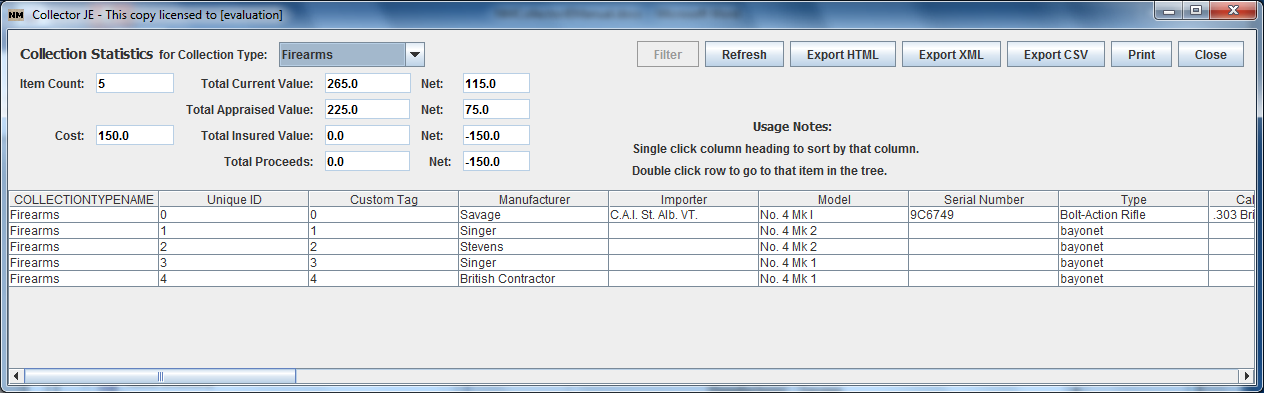
Other features include unlimited pictures for each item, a view (Statistics) that shows all of your items in a spreadsheet format with sortable columns. Clicking on a row takes you back to the main interface for the item in that row. Summary values are displayed to show you how much your collection is worth and how much it has gone up in value over time!
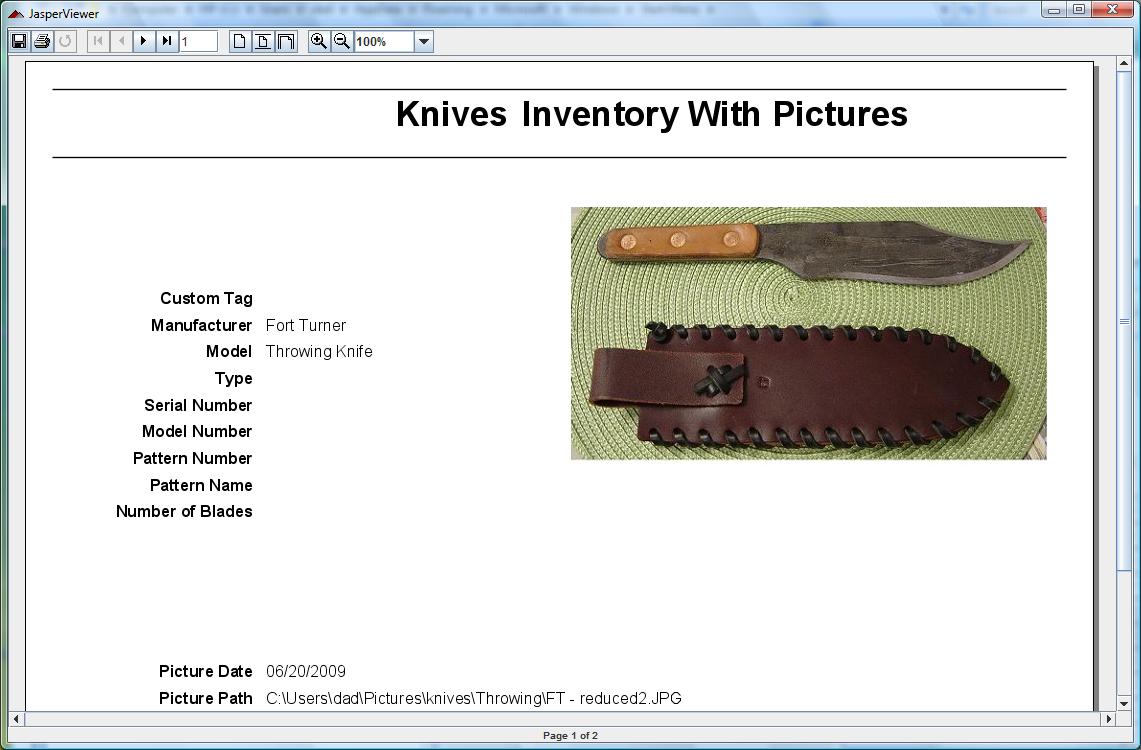
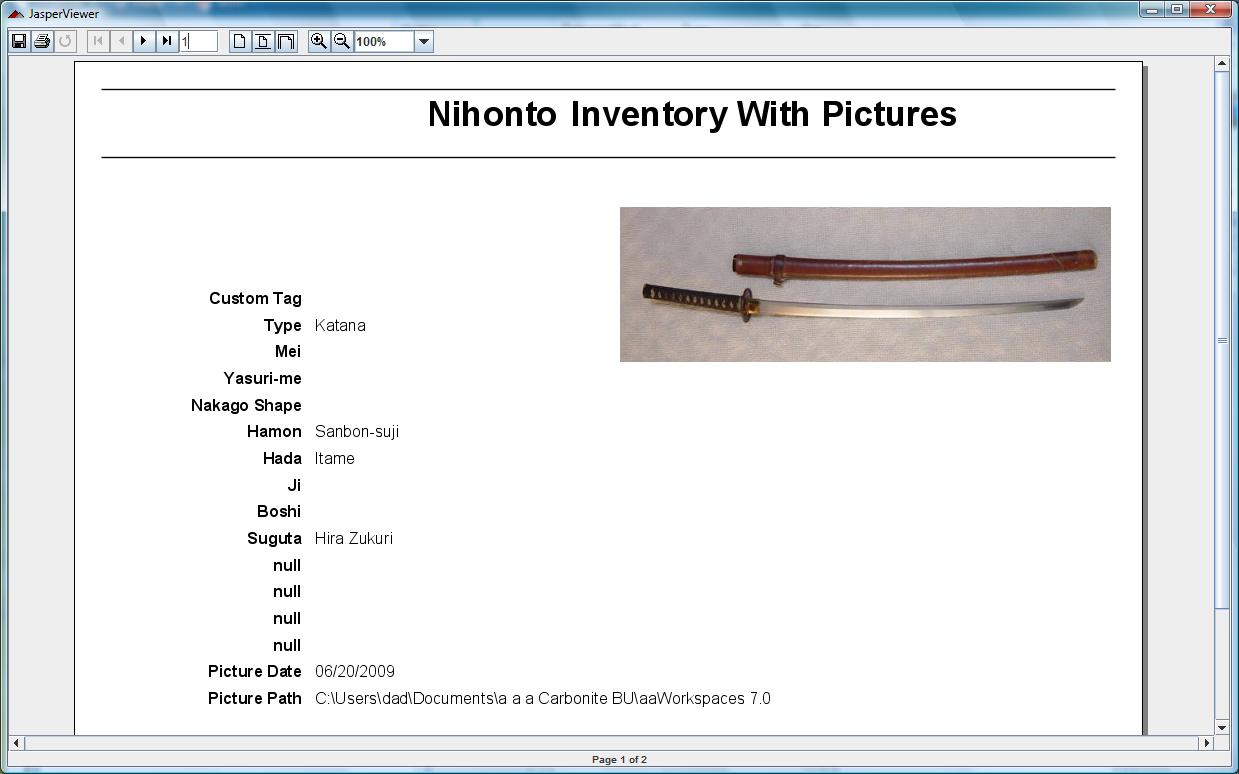
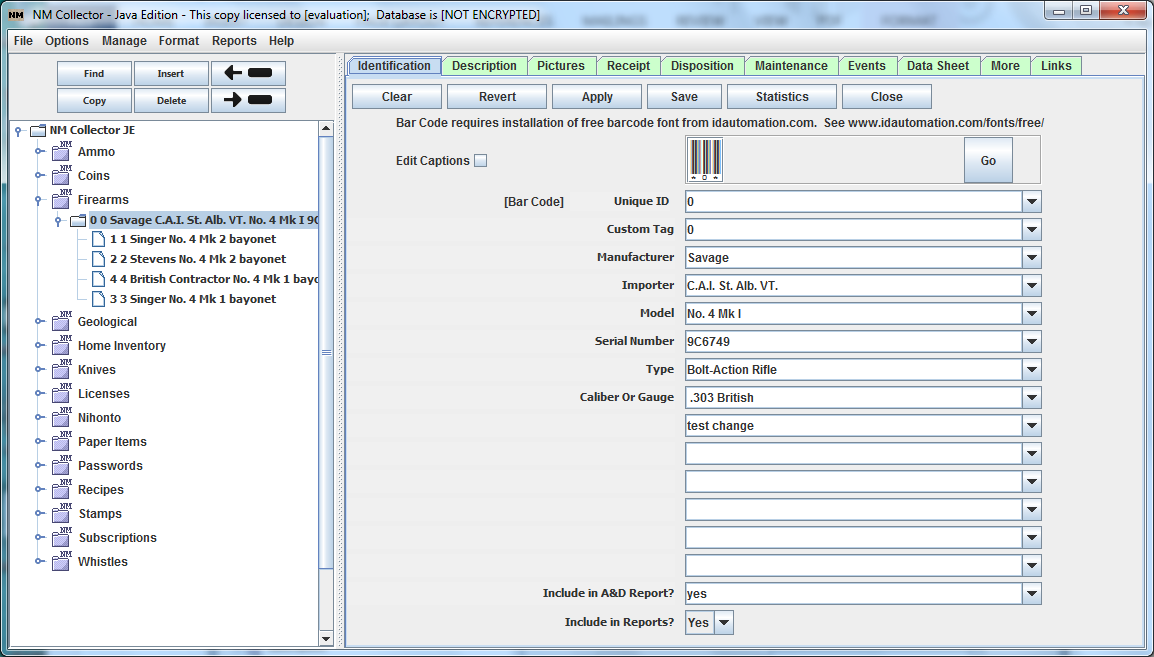
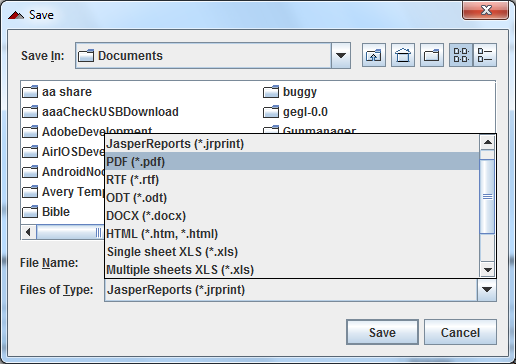
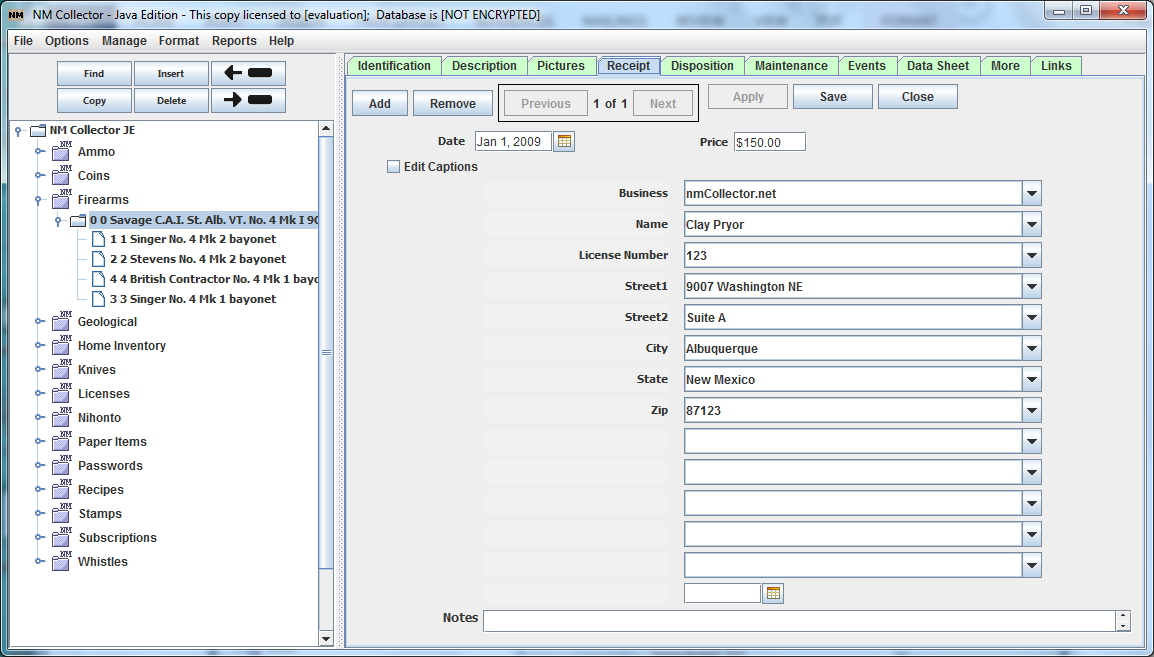
Other views include Identification, Description, Receipt, Disposition, Events, Maintenance, Data Sheets, and more. Sample screen shots are included below. A complete set can be found in the online documentation.
SASS End Of Trail 2012 Sponsor
SASS 2013 Wild Bunch Sponsor
Independent Reviews
- Read the NM Collector Software Reviews at Brownells (Look for the reviews link under the Stars)
- Cataloging Software Review in Maine Antique Digest! Here is an excerpt from that review:
"NM Collector JE is a simple, inexpensive, versatile collection cataloging program that will run on a Windows, Linux, or Macintosh computer."
- Tactical Tupperware - NM Collector Software, first impressions. It sounds like he will be providing us with future installments as well. One component of the review that I am very glad he noticed is as follows:
"Quite possibly the best feature about this software is that it is entirely self-contained with no 'cloud' component."
- Tactical Tupperware - Final Review of NM Collector. The final review is in. The check is in the mail - just kidding - the author did not want any money for this review so you can be sure it is not biased. Here is a small excerpt from it:
"There is no question that this software is comprehensive and built to handle collections of virtually any size without issue. While my gun collection is small it’s already helpful to be able to sort the data in different ways."
Related Mobile Apps
Through the years many people have requested mobile versions of NM Collector Software including a set for the iOS. After completing the Android versions it is time to start working on iOS versions.The intent of these applications is to work in conjunction with the Desktop version of NM Collector Software which makes it easy to input data. That data can then be easily transferred to your mobile device to take with you and make minor adjustments (like easily adding pictures) as necessary on the go and then uploading the changes back to the desktop. Although the mobile apps allow you to enter data from scratch, they are not meant to be the primary means of data entry.
Inventory Software for any type of collection
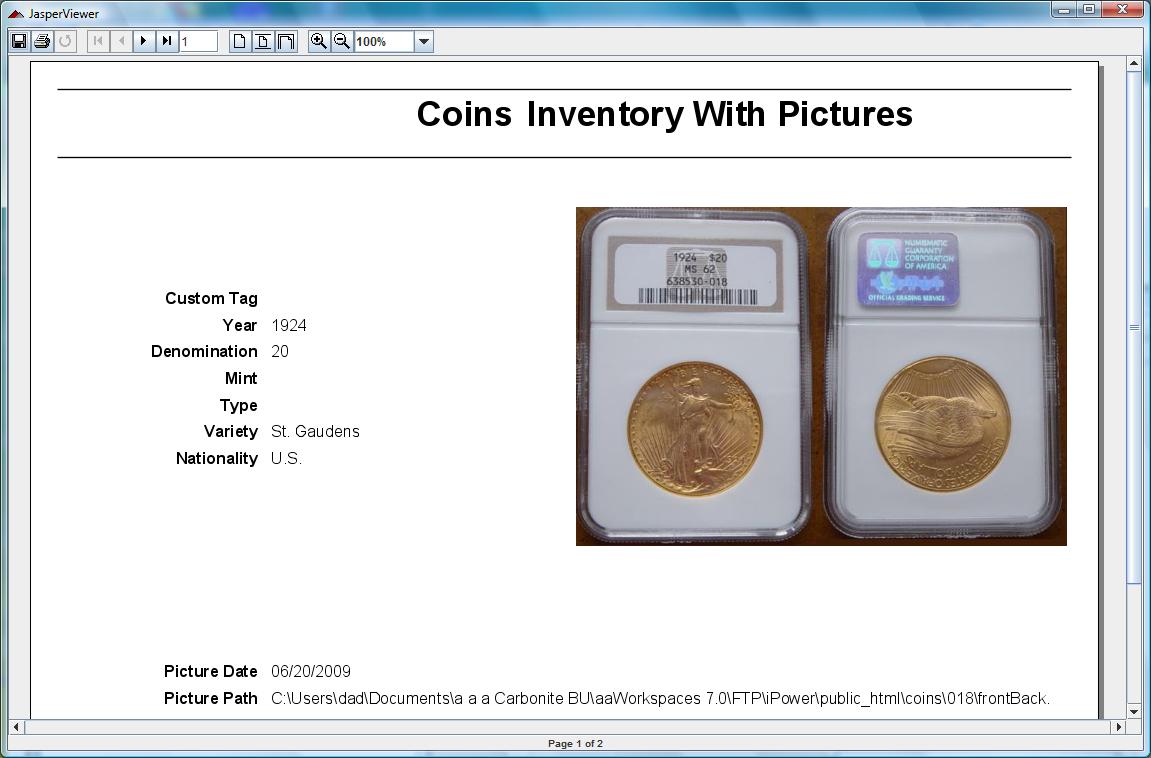
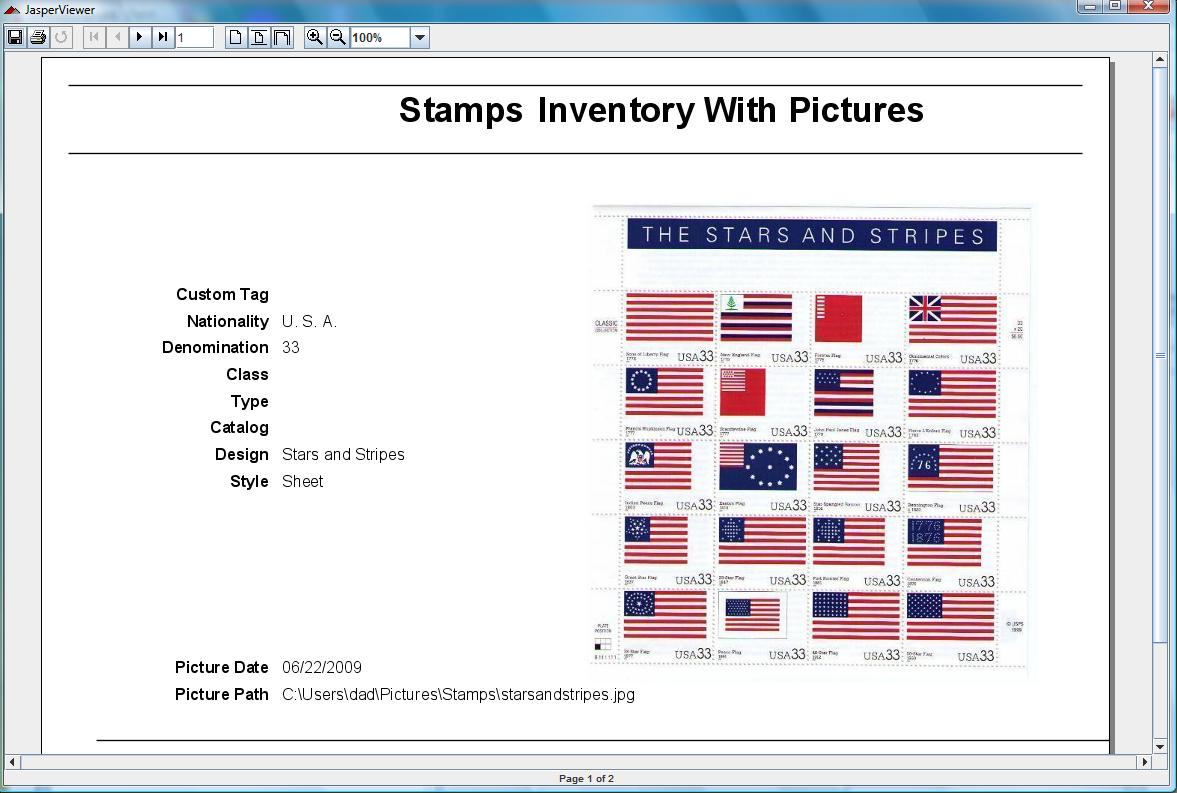
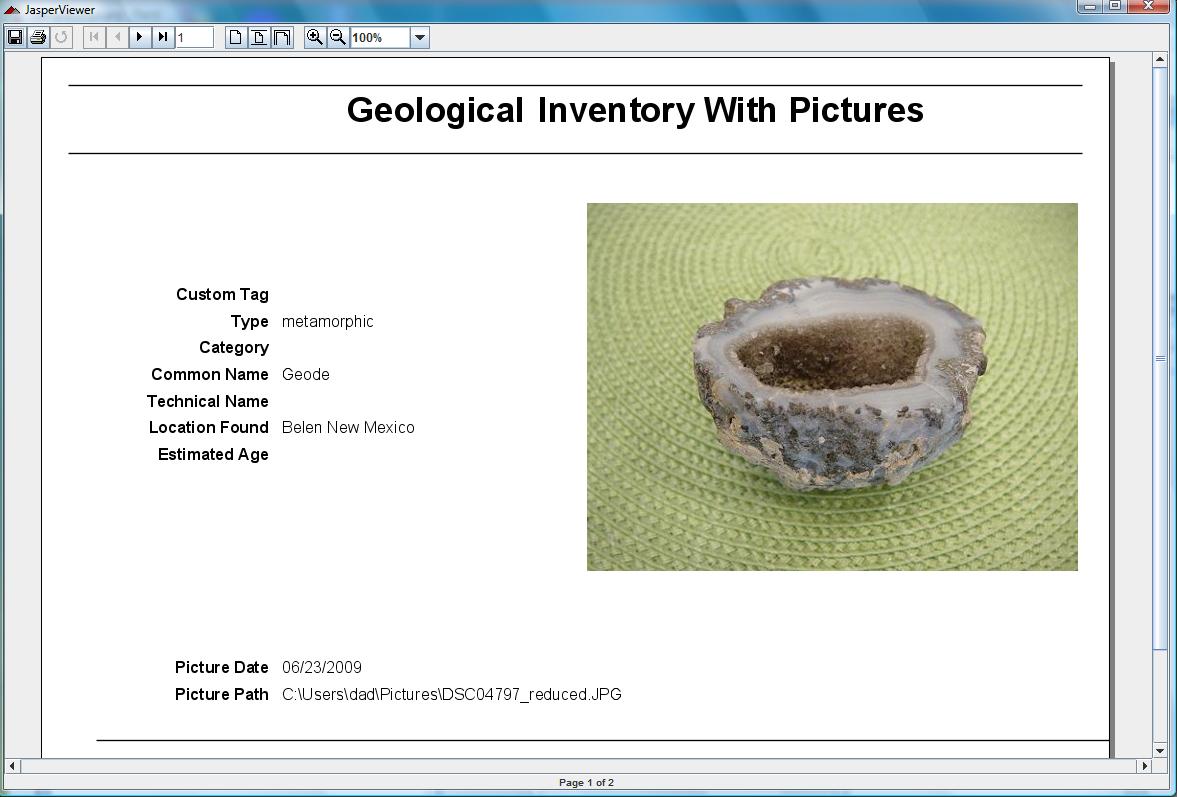
You get all of the following inventory software templates and more with one purchase. No need to purchase each collection type separately like many other collecting software packages that support multiple collection types. Pictures may be out of date so be sure to download NM Collector Software for free so you can see the latest program features first hand.
Guns Knives Japanese Swords
Coins Stamps Gems
* Also see how to create your own collection type by following the Home Inventory Software example.
A Few References
Visit our Guestbook to read more feedback and to leave some of your own!
"Great product. Hit a snag or two when I got started, but Clay guided me through it in a very fast and professional manner. Everything is going smoothly now. As a gunsmith I provide appraisals for gun collectors and insurance purposes. My customers have been more than satisfied with the results and I have been asked by some to do other collections as well. This is easily done because of the versatility of this program. The adaptability of the format ensures very efficient and professional results. I highly recommend this product. Thanks again Clay for your help and support."
- ivgunsmithing, La Salle, IL
"I was looking for something to keep track of all my valuables that I have collected. I came across NM Collector Software and downloaded the "free version" to get a feel for what it was like. Software is absolutely amazing, the inventor really spent some time ensuring that nothing was missed, it even allows for 100% customization which is great because everyone wants a different configuration. I would recommend the USB version/software to any person that has more than a couple of valuable items. I intended to use this software for my firearm and other collectibles but also decided it would be great storage for home inventory in case something happens I will have something to show my rental insurance company. This product was a brilliant idea and well worth the money. "
- Corey, Issaquah WAPortable Collector Software
This is truly portable software designed to be run on any computer with any operating system from a USB Flash drive. Although it can be installed on the computer hard drive it is also designed to run entirely off of a USB flash drive that can be plugged into any computer making it a truly portable application.
* Java 6 run-time engine required - comes with Windows, Mac OS, and LinuxIf you are looking for collecting software for your Android please consider: NM Collecting Software for the Android.Help is available any time!
NM Collector Software Support Page
Get latest User Manual"How to" Videos demonstrating some of the features and how to do common tasks with the software. This is a work in progress so check back if you don't see what you want now. Probably some of the most useful videos include the following:
- Install NM Collector Software on a USB Flash Drive
- Run NM Collector Software from a USB Flash Drive (includes instructions for proper shutdown and removal of the USB Flash drive)
- How to Start Entering Data
Suggestion: Install as many copies as your want - one for each of your collection types. Hide all other collection types for each install so only one collection type is visible with each install.
Performance Best Practice: For performance and reliability it is best to run the program from a computer hard drive and use the USB flash drive for backup and sharing with others. The USB flash drive is a great way to run the software on any computer but you should have one main computer that you use for data entry.A Few More References
"I really enjoy the portability of the new version. I have been able to show off my collection to friends on their computers just by using the thumb drive. I think the whole thing is pretty darn close to perfect, and I'm very grateful to you for producing it." (via email)
"I just bought the NM Collector software. I like it very much. I was going through the thought process that if something happens to me, I want my three sons to understand what I have and what it MAY be worth instead of having someone take advantage of them if they choose to dispose of any of them. Taking photos and making detailed descriptions of all my guns is a pain in the butt, but I feel that I would like to have that info in written form somewhere."
"I have taken the downloads for GunSafe 2.8 offline. The program has grown quite old, and there are more modern free and commercial offerings now available. I recommend trying out NM Collector Software." ( http://somanyroads.org/gunsafe/ )
"The author is a stand up guy, and puts out updates based on problems/suggestions."
"Your software is well written and you deserve the revenue. I am a greedy capitalist pig who believes you should be rewarded for your talents... It's the John Galt in me." (from a customer who purchased two registrations)
This collecting software is now better able to support large collections!
NM Collector Software was never intended for commercial purposes so the initial design did not emphasize performance for large collections. However, there are many individuals out there with very large collections so, in release 2.4.0, the database interface for NM Collector Software has been rewritten to maximize performance for large collections. Small collectors will see a small improvement as well.
Please see inventory software benchmark results for an idea of the improvements in performance.
NM Collector Software
Promote Your Page Too



download NM Collector Software JE file on File FishstickHome Inventory Software
In addition to well defined fields for gun collections there are also templates for coin collections, knife collections, Japanese sword collections, stamp collections, gem collections and others. You can even define your own collection types from scratch (see creating a Home Inventory example). If you have suggestions for what to include for any collection type please let me know so I can make them available to others.
Customizable
You can customize this collecting software to your personal preferences including the following and more:
- Look and Feel - pick and choose your own Fonts including style and size as well as foreground and background colors.
- Field Headings - standard headings available which you can modify and/or make your own.
- Drop Down Values - many provided for each type of collection but you can add and modify your own.
- Collection Type Templates - many are provided and you can create your own.
If you do not like the fields provided by default you can redefine them to your own. You get over 32 fields that you can define.
- More ... see for yourself what you can do ...
Other Features Include:
- Truly portable collecting software - When installed on USB flash drive it can be run on any computer and any computer.
- Free email support.
- Handles multiple inventory software collection types all in one program. No need for separate purchases for each collection you want to manage.
- Collections can be broken up into separate instances of NM Collector Software if you wish. One license allows you to install the software on multiple computers and multiple times on the same computer allowing you the flexibility you need.
- Primary interface is tree view with associated tabs.
- Statistics feature that summarizes dollar values (including purchase price, appraised value, insured value, and sales price if applicable) with ability to sort on any field and quickly go to details for any selected item.
- Ability to import and export to and from Excel.
- Ability to import data from old NM Gun Collector Software.
- Ability to access your data from mobile devises. (See also NM Collecting Software for the Android.)
This Collecting Software capitalizes on lessons learned from NM Gun Collector Software
Feedback and experience from many years of success with NM Gun Collector Software was incorporated into this new inventory software. One of the biggest complaints from users of NM Gun Collector Software was that pictures were not stored in the database itself. Instead, the path to each picture was stored in the database while the pictures themselves remained in the file system. This is a very effective approach from a disk management standpoint but required additional care and backups from a user perspective. This new collecting software allows for either approach to storing pictures - you choose which one you prefer.
A very common request from users of NM Gun Collector software was that it support other types of collectibles. That was impossible before but now you can track any and all of your collections in one or multiple copies of this software. Again, the choice is up to you.
Another frequent request was to be able to run NM Gun Collector software on platforms other than Windows. This new inventory program can be run on Windows, Mac, and Linux.
User Stories
Scrum is a popular methodology in modern software development. One aspect of Scrum is the concept of "User Stories" where application developers work closely with a single representative of members of the target audience (known as the "Product Owner") to define system requirements based on a description of the features from the system user's perspective. The format of a user story is as follows: "As a [type of user] I want [some feature] to provide [some benefit]." (if you are looking for feedback from real-life users, or want to leave your own feedback, please visit our guestbook)
Below, you will find some examples of user stories from a collector's perspective for features of NM Collector Software. Please feel free to suggest user stories of your own!As a collector of _______________ (you fill in the blank), I want ...
- to capture identification information (including purchase price and current value) for insurance claims in case of any of my items are lost or stolen.
NM Collector Software captures key information required by insurance companies for loss claims including identification information, purchase price, current value, appraised value, appraised by, appraisal date, and more including unlimited pictures. Pictures can be loaded through the desktop application and the mobile app can be used to capture pictures which can then be uploaded into the desktop application.
This data can then be exported to excel or insurance reports (with or without pictures) can be saved to PDF files to send to your insurance agent.
- to easily view my items electronically so that I ...
- do not have to to open my safe or go to any other storage location to see what I have.
You can track any information that you might want to review about any item including pictures so you do not have to actually handle the item to remind yourself exactly what it is and what characteristics it has.
- can easily decide if I want to make a purchase or sale to improve my collection no matter where I am.
Mobile versions of NM Collector Software are available that allow you to view pictures and key information on your mobile device where ever you go. NM Collector Software itself is designed to be run on any computer from a USB flash drive so you can take it with you wherever you go and see your collection using any computer available to you with no installation required.
- my data to be safe, secure and accessible only to me and those that I chose to give access to.
There are several security mechanisms available with NM Collector Software. The first is to run it strictly from a USB Flash drive that you can control access to. That way nobody gets to your data unless you allow them access to the USB flash drive.
One disadvantage of running strictly from a USB flash drive is that it can be slow for large collections. In this case you will want to run NM Collector Software from your computer hard drive. That will require another level of security which, in this case, is encryption with a password. Of course, you can encrypt your data and password protect it on your USB flash drive as well.
Another key component when it comes to protecting your data is to back it up in case of loss from your primary source (be it a USB flash drive or your desktop hard drive). One way to backup your data is to copy it to another USB flash drive or a hard drive.
- to search my collection to quickly find any item.
A "Find" button is provided that can be used to locate any item in the main tree view interface.
- to organize my collection by various attributes so I can easily group my items by any characteristic that I want to track.
A statistics screen allows you to sort your collection by any attribute that you capture. Once you find an item you can double click it to go to the data entry screens.
- to track who I received each item from and, if appropriate, who I gave or sold each item to so that I can easily look them up if required (including BATFE Compliant Bound Book Format for Firearms).
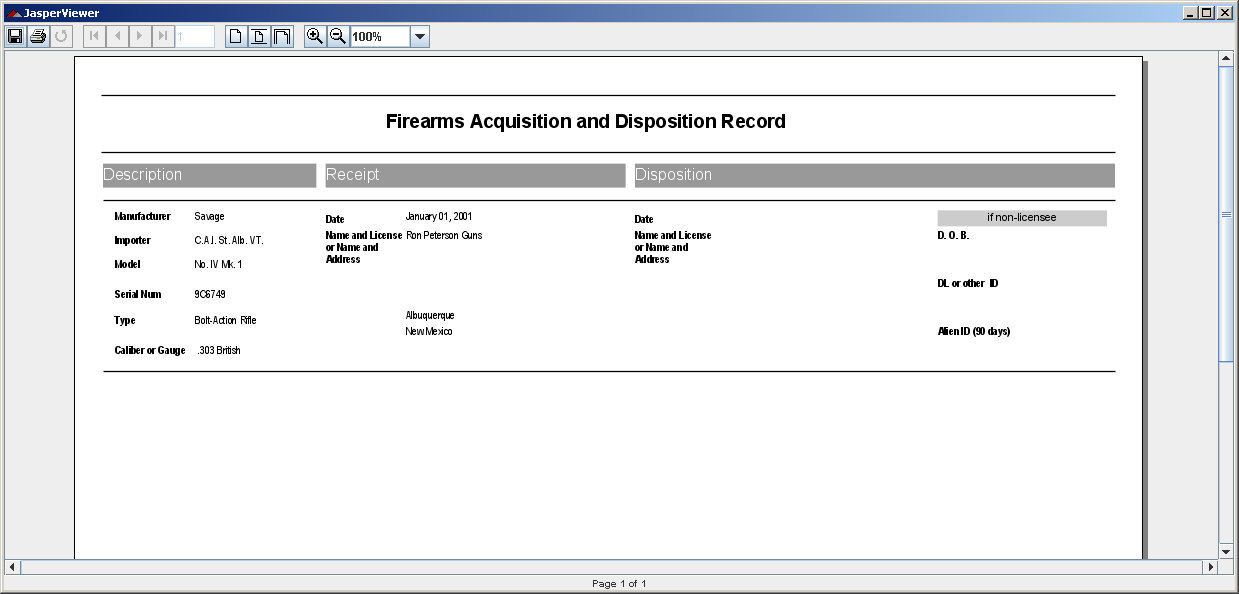
NM Collector Software provides fields to track receipt and disposition data including date, amount, and person and / or business information for who the item was recieved from or disposed to. The item can be loaded in order to find who it was received from or dispositioned to. Also, the statistics window can be used to sort by receipt from or disposition to if you want to see all items recieved from or dispositioned to any individual. For firearms, BATFE compliant reports can be generated.
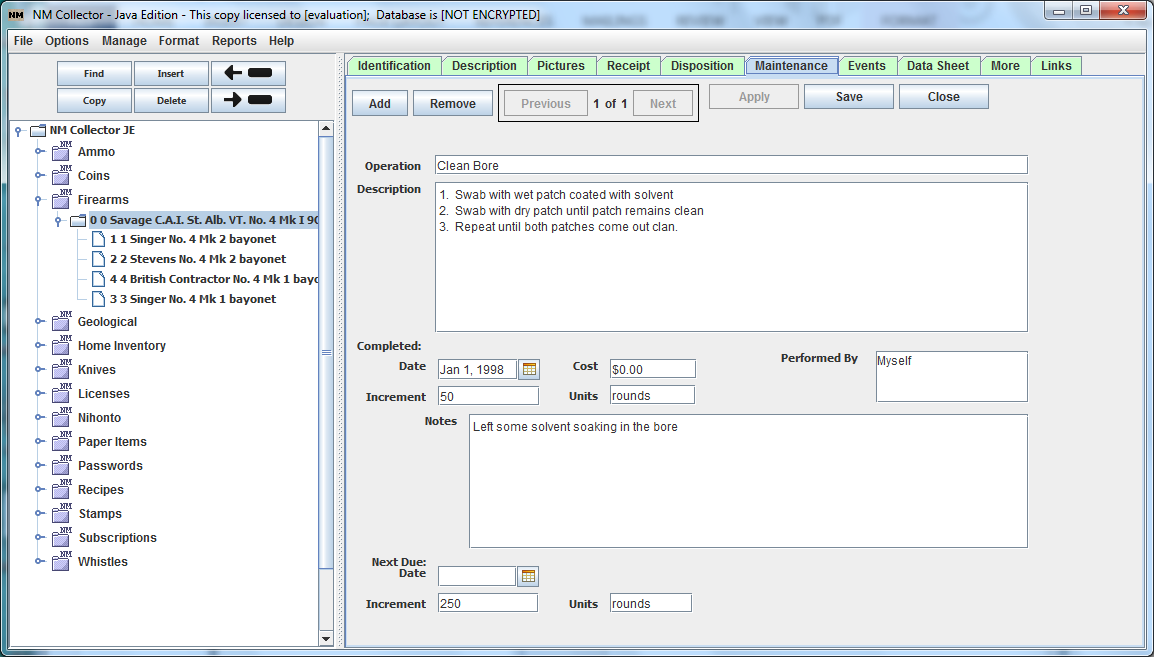
- to track maintenance procedures, when they are completed, and next due, so I can be sure I properly maintaining my items for optimal condition and value.
A screen is provided to capture not only maintenance procedures for each item but also when they were last performed and when they will be required next by elapsed time or elapsed units of your choice.
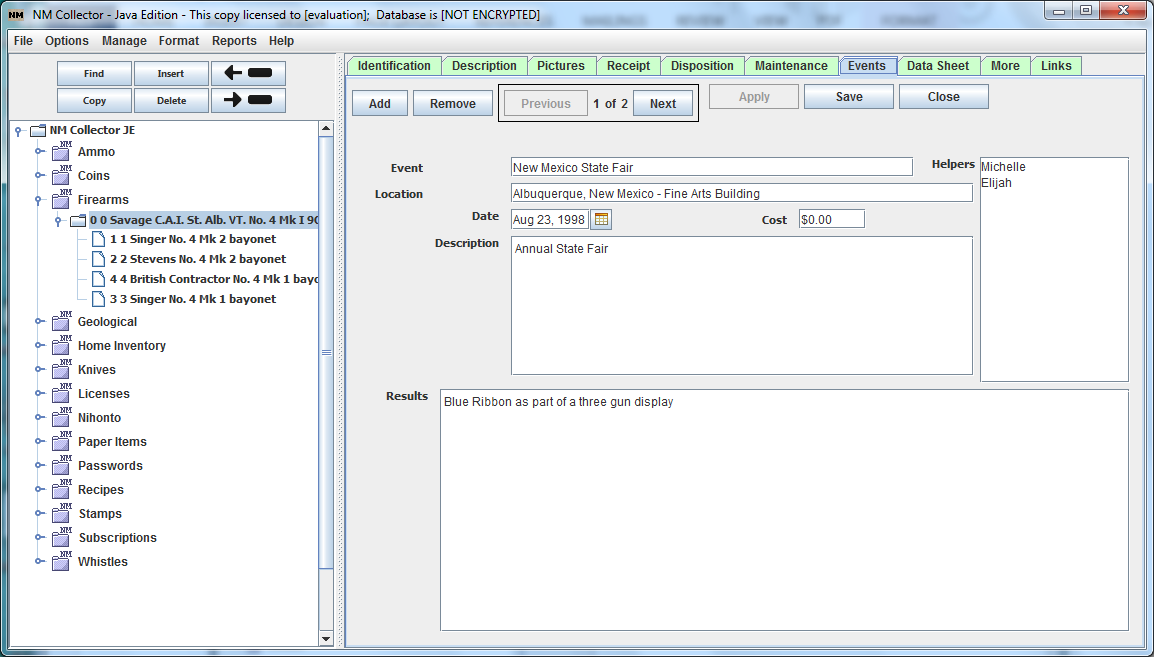
- to track shows and other events by item so I can track any awards or other notable distinctions associate with my items.
Multiple events for each item can be captured including date, cost of the event, helpers, and results.
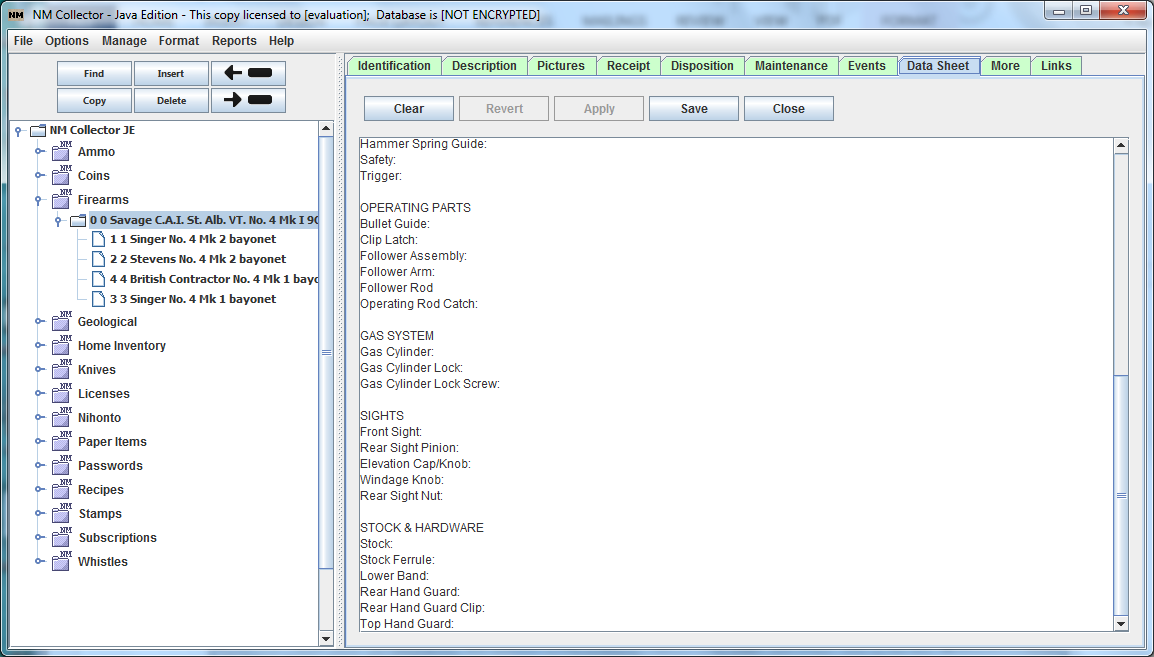
- to keep detailed data sheets of individual components that make up each item so I have a record of its composition. This is particularly useful for certain U.S. Military small arms.
A free form data sheet page is provided allowing you to track all identifiable components of your items. Many data sheet templates are available that can be copied and pasted into this page for you to enter the details for each item.
- to define my own fields so I can track the information that I want to track about my collection.
In addition to the predefined fields provided by default, there are many blank fields that can be defined as you want. Almost all of the predefined fields in NM Collector Software can be renamed to track the information that you want to track.
- to define my own collection type in case I cannot find software configured to manage the type of collection that I want to manage.
Not only can individual fields of an existing collection type be redefined to meet your specific requirements, whole new collection types can be defined to meet your needs. You can define your own collection types from scratch or by copying an existing collection type that is close to what you need.
- printable documentation so I do not have to read on-line documentation.
Please see printable user manual
- quick access to support when I need it.
There are many, perhaps too many, on-line support resources available to research any topic including pictures, textual instructions, and even videos. In addition, email support is available.
- the ability to submit recommendations and see my suggestions in a future release of the software so I can help to improve the product.
Suggestions are always encouraged and welcome! This software has a long history of improvements based on feedback from the user community. This tradition will continue as it is one of the best ways to ensure continued success in meeting customer requirements!
100% Satisfaction Guarantee
As with most things in life, it is best to contact us first to see if we can resolve your issues before you request a refund. If we cannot resolve your issues, uninstall the software, destroy the activation email, and request a refund within 30 days of your original purchase. The original purchase price will be refunded in full.
If you purchased a USB Flash Drive you must request a refund before returning it and it must arrive undamaged and in re-sellable condition. Shipping is not refundable.
Please ask any questions before you purchase.
Thanks!collecting software links (with link exchange request form)
Last Revised: July 14, 2013
Copyright © 2008, 2009, 2010, 2011, 2012, 2013 by Clayton J. Pryor. All rights reserved.