iOS NM Collector Software
From
nmCollector.net LLC

This project has been placed on hold until adequate funding can be gathered.
If you want to help fund this project (for as little as $4.00 which entitles you to a free copy of the software when it is released) please see my kickstarter project!
The information listed below was valid and up to date at the time the project was placed on hold.
View a Demo Video of the Beta iOS NM Collector Software.
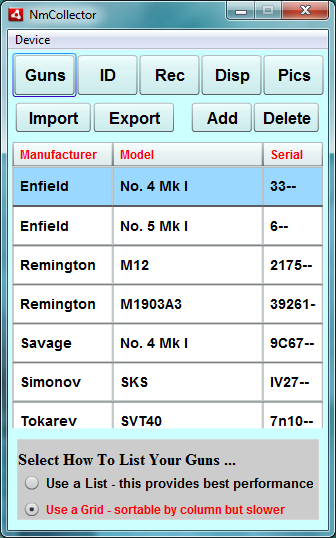
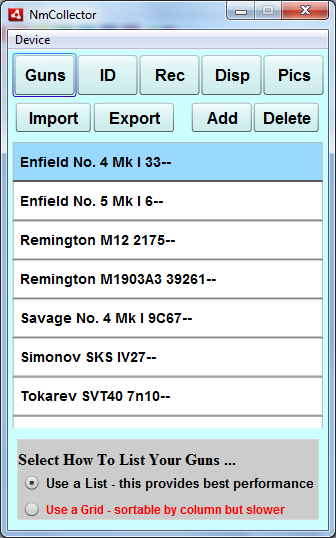
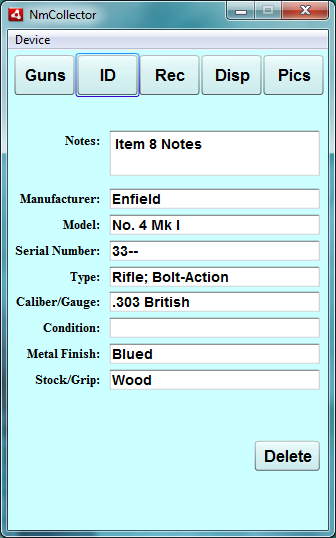
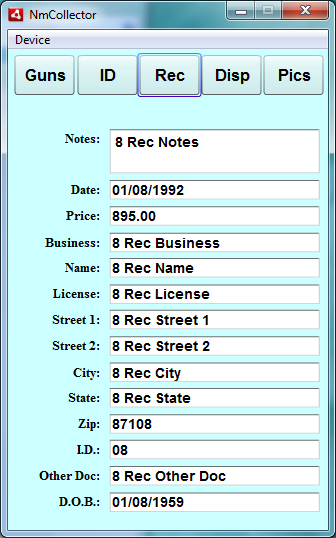
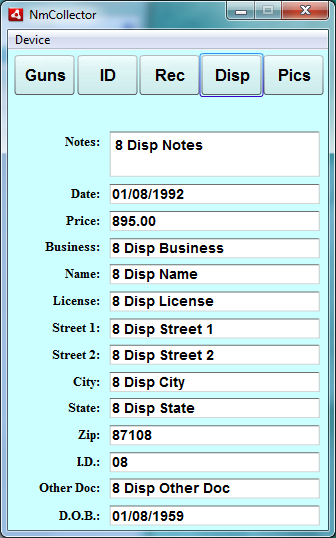
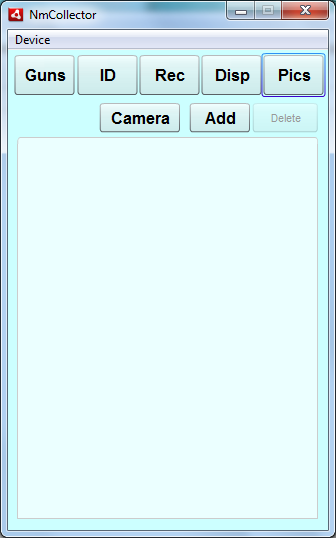
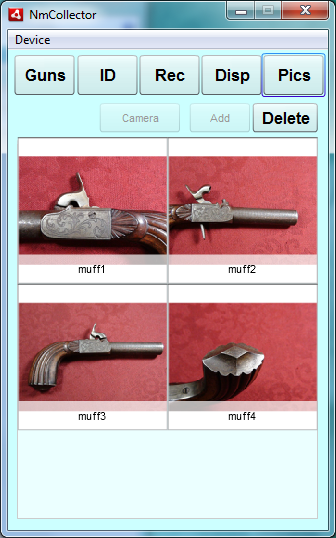
Screen Captures
NM Collector for the iOS (iPhone, iPod, iPad)!
This is the home page for the NM
Collector iOS applications. Through the years many people have requested mobile versions of
NM Collector Software including a set for the iOS.
After completing versions of NM Collector Software for the Android
I started working on iOS versions.
The intent of these applications is to work in conjunction with the Desktop version of NM Collector
Software which makes it easy to input data. That data can then be easily transferred to your mobile
device to take with you and make minor adjustments (like easily adding pictures) as necessary on the
go and then uploading the changes back to the desktop. Although the mobile apps allow you to enter
data from scratch, they are not meant to be the primary means of data entry.
These applications are meant to be simple and straight forward to
use with only the features necessary to help collectors easily track
their items. They will be upgraded as features that add value are
requested.
iOS NMGuns Beta now available for testing!
You can get the beta two ways. You can use iTunes or TestFlight. It's your choice how you want to do this.
You can contact me at [email protected].
Please find instructions for each choice below:
- Option 1: TestFlight
- The link above points to the latest beta build at the time this page was last edited.
- You have to register with TestFlight to use it.
- After you register I will need to authorize your device for testing.
- Please email me if you do not hear back from me on your authorization.
- Option 2: iTunes
- Send me your device number so I can make iOS NMCollector available for your device. Here is a web page for Locating an iOS device ID. This is for the iPhone but works the same for iPods. I'm not sure about iPads as I do not have one of those yet.
- Download these two files (you may have to right click and select from the available options to save the second file to disk)
Drag both files into the "Apps" section of iTunes,
Then sync your iPhone, iPad or iPod touch to iTunes to install.
Suggested usage:
- Export Firearms data from NM Collector Software using File > Export > to Android CSV. (yes, use Android for now until I can update the desktop software to reflect iOS as well).
- Copy resulting AndroidNMGuns.csv file and related picture folders to your iOS device.
- I was able to copy the .csv file to my iOS devise using iTunes.
- However I could not copy the pictures folders to my iOS device.
- It may not be possible without the use of additional third party software.
- Worst case, you can do what I did and synch the pictures with your iOS device (as explained here) and manually add them to NmCollector.
- Start NmCollector on your iOS device.
- Delete any sample data that you do not want.
- Import your firearms by clicking the "Import" button.
- Make whatever changes you want. Add pictures.
- Export your updated firearms data by clicking the "Export" button.
- Copy resulting AndroidNMGuns.csv file and related picture folders to your desktop computer.
- Import the updates into your NM Collector Software firearms using File > Import > from Android CSV.
Known Issues with iOS Beta!
Before making suggestions please review the known issues below. Thanks!
- Limited to one orientation for now.
- Not as iOS friendly as it could be yet. Help me make it better for iOS users with your feedback and suggestions!
Please send me your feedback!
You can reach on my
contact me page or comment through TestFlight, or comment in one of the
many forums that I will be requesting help from. Links to
those forum discussions are here.
Please keep in mind the primary purpose of this project is to give NM
Collector Software users the ability to export their data to their iOS devices,
make minor adjustments from those devices, and re-import their data back into NM
Collector Software. It is not meant to be an all new stand alone application.
So, a familiarity with NM Collector Software will benefit any reviewers.
Last Revised: August 12, 2012
Copyright © 2011, 2012 by Clayton J. Pryor. All rights reserved.