How to Run Multiple Copies - One for each Collection
NM Collector Software JE (Java Edition)
From
nmCollector.net

Under normal circumstances you might want to keep all of your collections in one copy of NM Collector Software. However, particularly with large collections, you may decide that you want to run multiple copies of NM Collector Software, one for each collection type. This page contains instructions for that.
This is how the tree view looks when you manage multiple collections in the same copy of NM Collector Software: 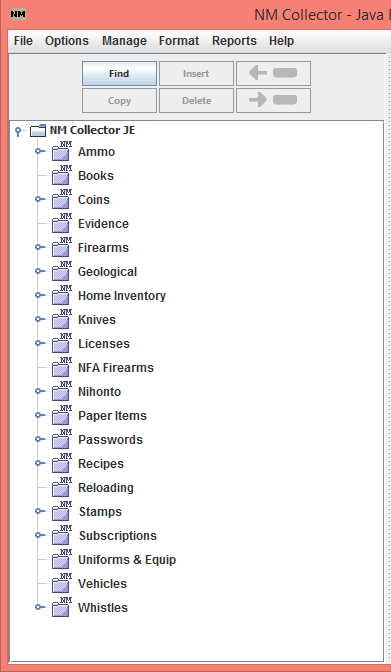
Here are some examples of how the tree view looks if you run multiple copies of NM Collector Software with one copy for each collection type:


So, how do you go about doing this on your computer? Here is one way to do it (These instructions are for Windows. The same principles apply for Mac and Linux.):
-
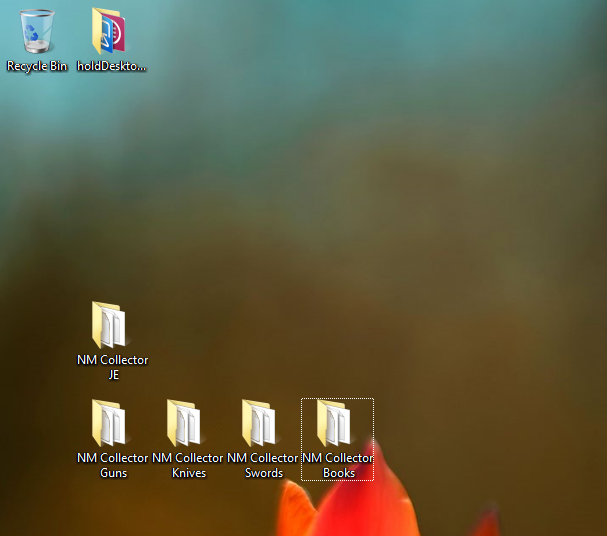
Copy your NM Collector Software JE directory to your desktop (or whatever location you want to run it from) and then make multiple copies of it, one for each collection type. Name each copy for the collection type that you will use it to manage. This is what my desktop looks like with multiple copies of NM Collector Software:
-
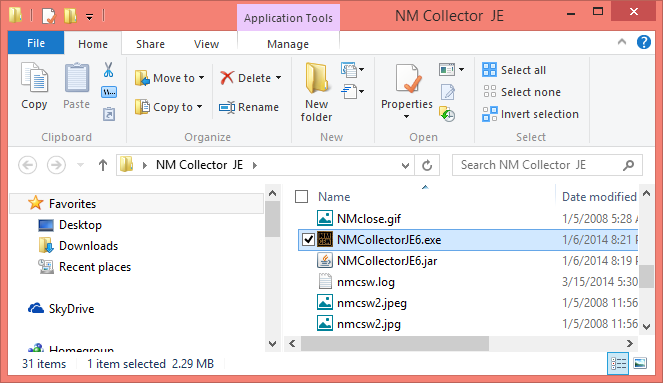
For each folder, open it and double click NMCollectorJE6.exe to start NM Collector Software from that folder for that collection type:
-
Once NM Collector Starts for that collection type, use "Manage Collection Types" to specify the collection type for that copy of NM Collector Software:
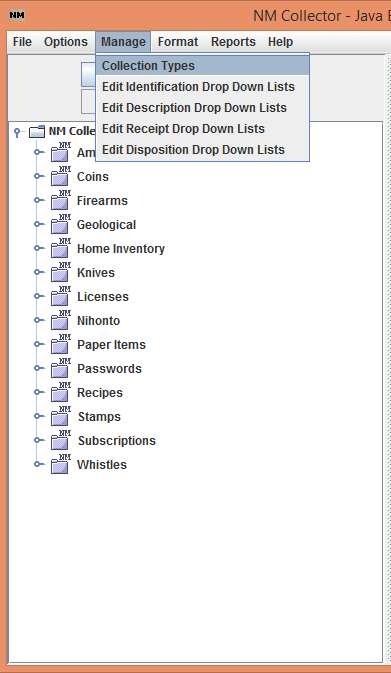
Here is what the Manage Collection Types page looks like with only Firearms selected:

Using this approach, you can even run multiple copies of NM Collector Software at the same time!
Thanks for using NM Collector Software!
Last Revised: March 15, 2014
Copyright © 2008, 2009, 2010, 2011, 2012, 2013, 2014 by Clayton J. Pryor. All rights reserved.