New 3.0 Features
NM Collector Software - JE Edition
Any collection any platform ... Windows, Mac and Linux.
Beta Testing Has Concluded - Version 3.0 Is Now Released
The 3.0 version is easier to use and has many new features. If you are currently using NM Collector Software or have tried it but decided it wasn't for you, why not give this new version a try? Click "Learn More" to see what new features are available.
-
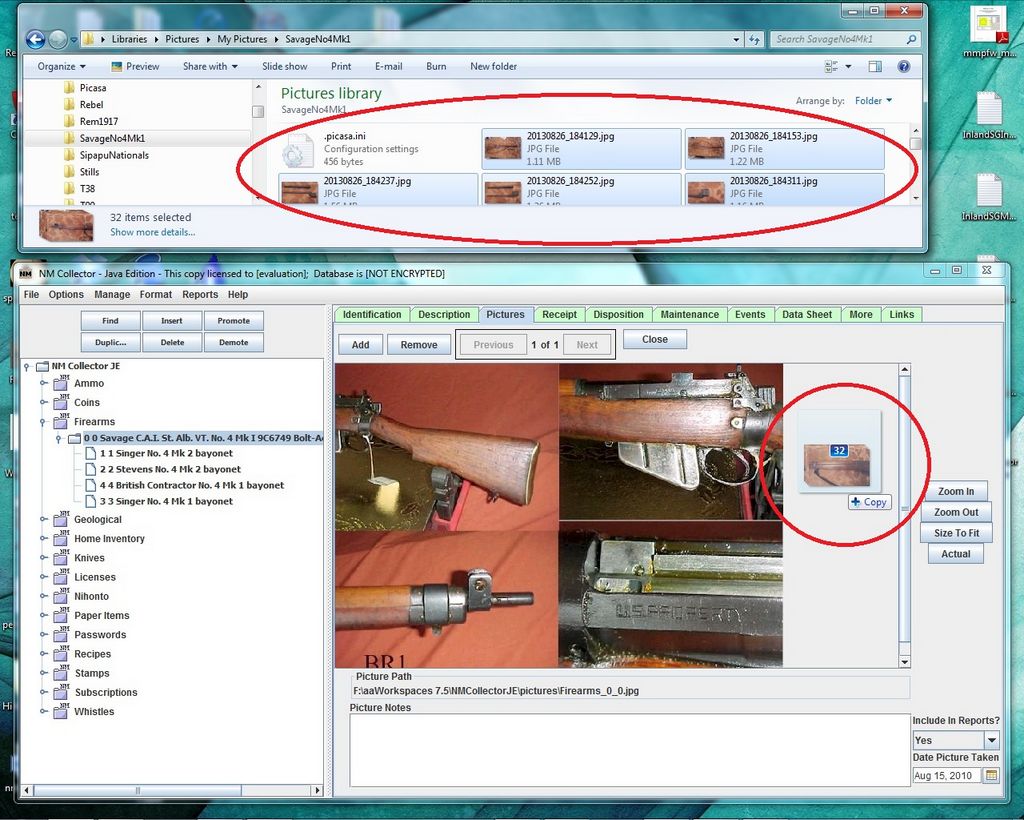
Drag and Drop Pictures directly from file system. You can now drag and drop one or more pictures
directly into the software!
-
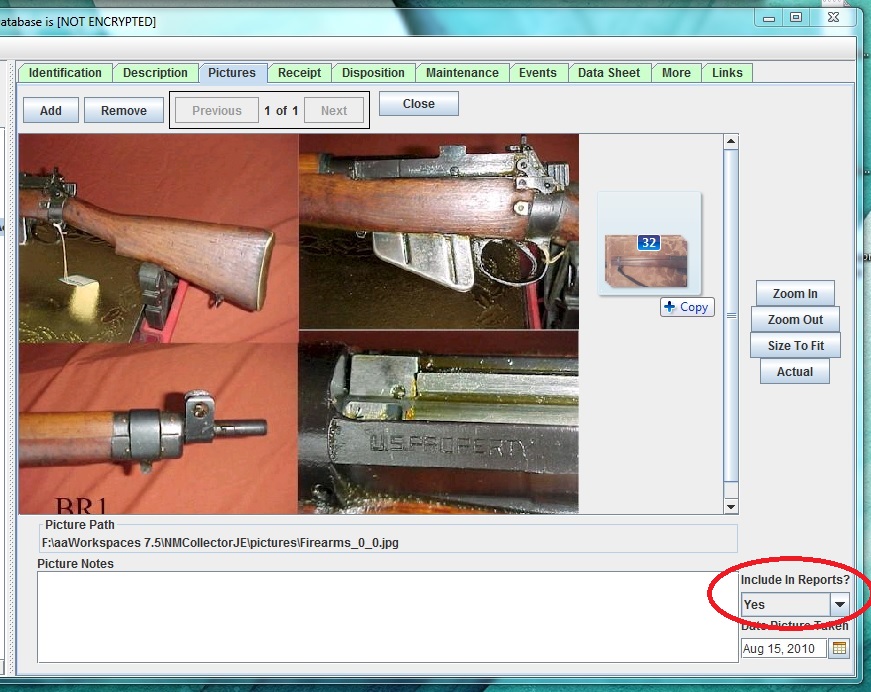
Select Which Pictures Will Appear in Reports using a new "Include in Reports" flag for each picture.
(Reports have not yet been updated but are coming soon.)
-
New Links Tab which allows you to link to any document, picture or link on your desktop or on the web
using drag and drop or manual edits. Selecting a row and clicking the "Open Link" button will actually open the source
in whatever tool makes the most sense for the link and your computer. For my computer, html links are opened in Mozilla,
PDF docs are opened by Adobe Reader, Word documents are opened with Open Office, and so on.

-
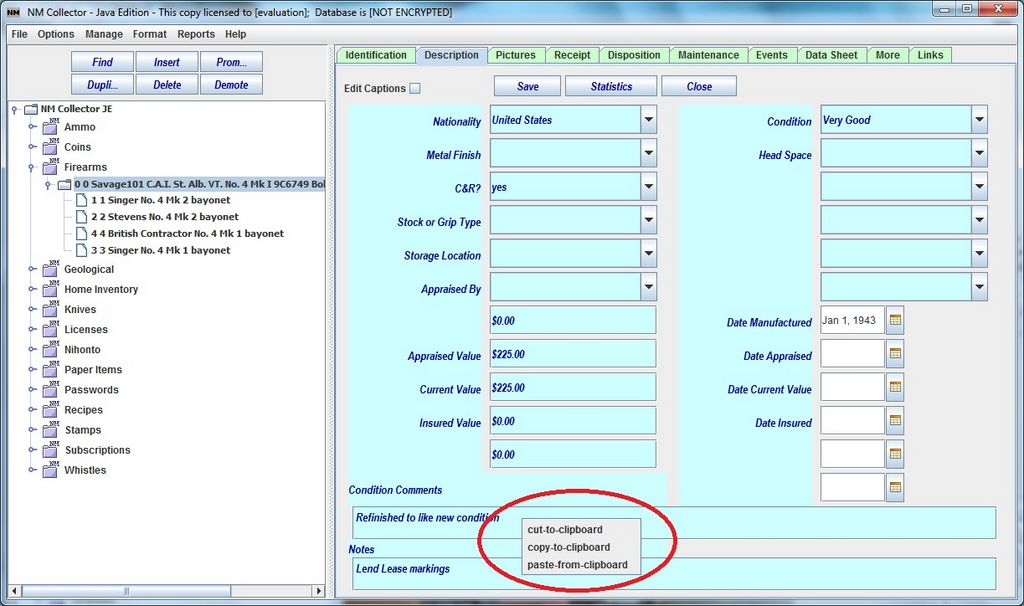
Copy and Paste to and from any notes field through a right click popup menu.
-
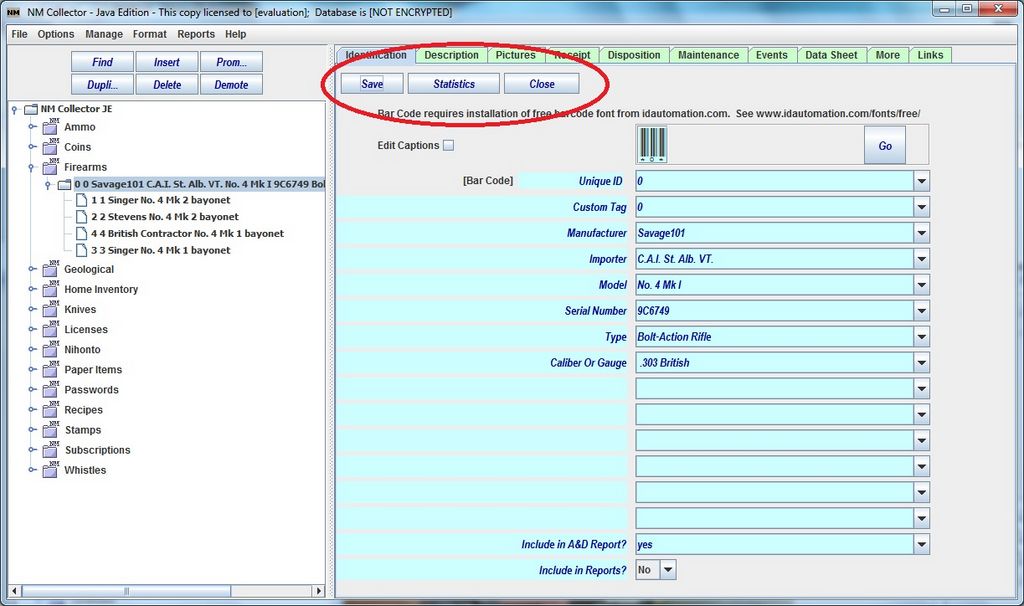
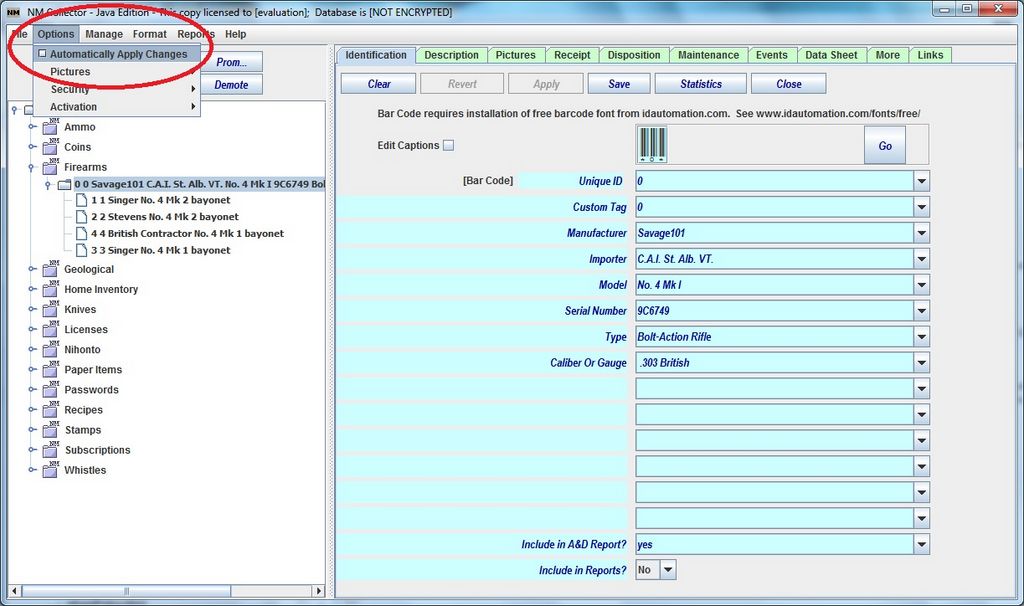
Simplified User Interface for those who do not want to confirm every change. NM Collector now saves every change automatically.
-
Clarified Confirmation Buttons for those who prefer the old User Interface functionality it is still available by
uncehcking [Options > Automatically Apply Changes]. "Keep" is renamed to "Apply" and "Write" is now "Save."
-
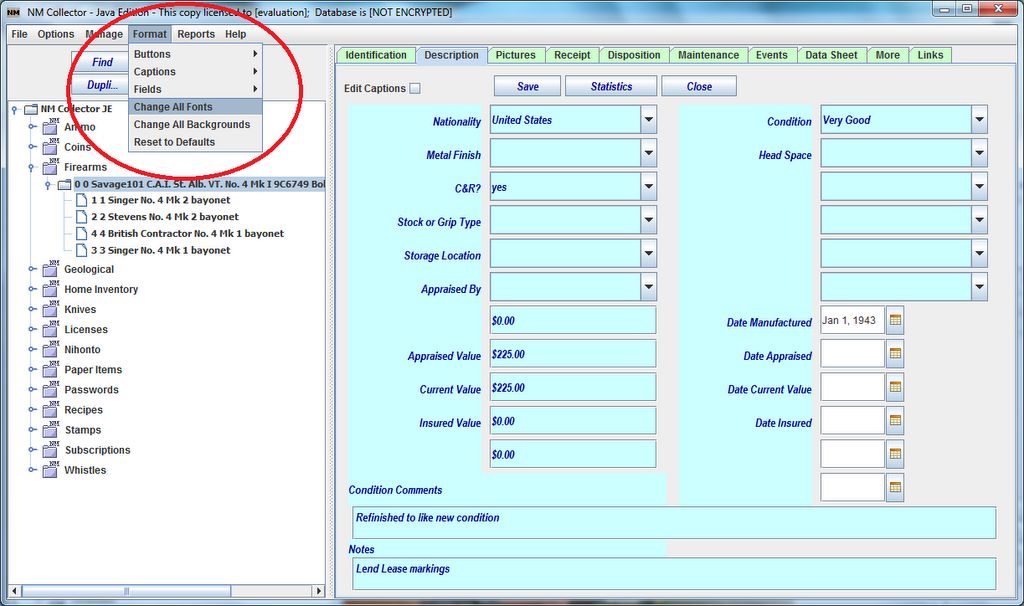
Improved Font and Background Customization and field resizing to better accomodate small high resolution
screens (such as Windows Surface Screens). If you have a small high resolution screen you can now set the fonts to a
more readable size.
-
Added "Change All Fonts" Option to easily adjust the size of all fonts at once.
-
Make Editing of Captions Clearer by removing the border around each caption when not editing.
-
Resolved limited image size issues so you no longer have to resize most images.
-
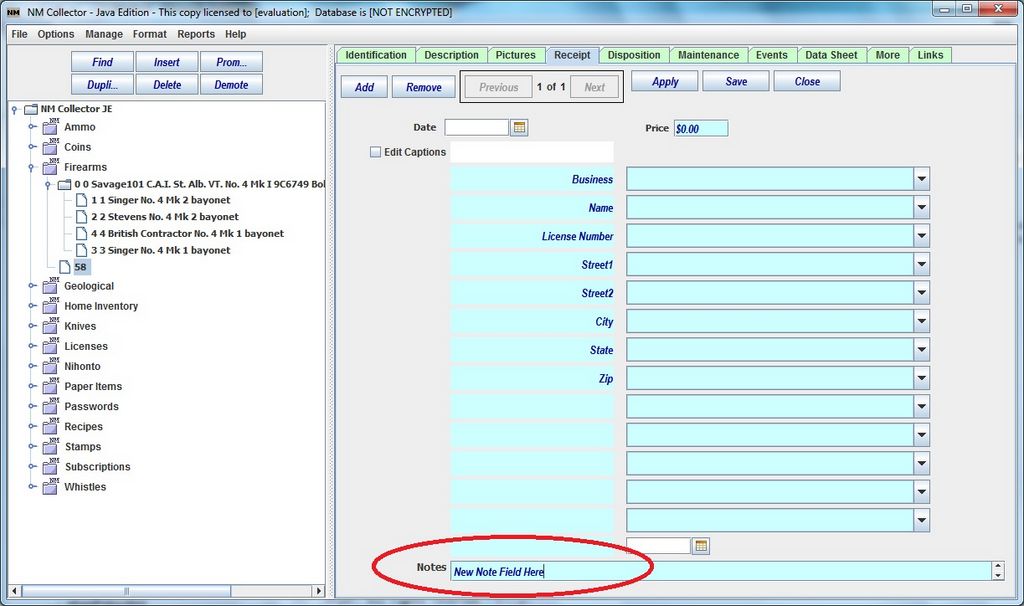
Added Note Fields to Receipts and Dispositions Tabs.
Thanks!
Last Revised: December 14, 2013
Copyright © 2008, 2009, 2010, 2011, 2012, 2013 by Clayton J. Pryor. All rights reserved.